.png?width=250&height=121&name=light%20bg%20(1).png)
The three top-up statuses
Every top-up made via the Reloadly API resolves to one of three statuses: PROCESSING, SUCCESSFUL, or REFUNDED. Understanding what each status means is essential for handling outcomes correctly in your integration.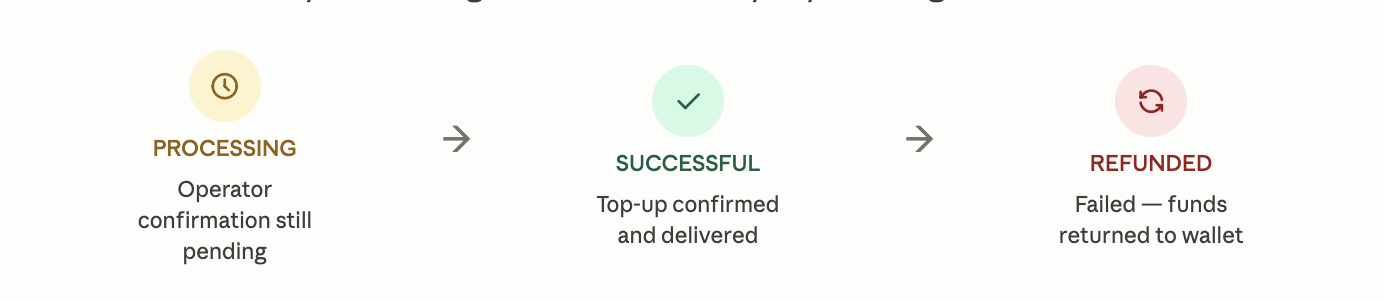
PROCESSING — The top-up has been submitted but the final confirmation from the airtime operator hasn't come back yet. This is expected for some operators that have asynchronous delivery pipelines.
SUCCESSFUL — The operator confirmed delivery. The recipient's phone has been credited.
REFUNDED — The operator was unable to process the top-up. The auto refund feature has automatically returned the deducted amount to your Reloadly wallet balance.
How to make a top-up and track its status
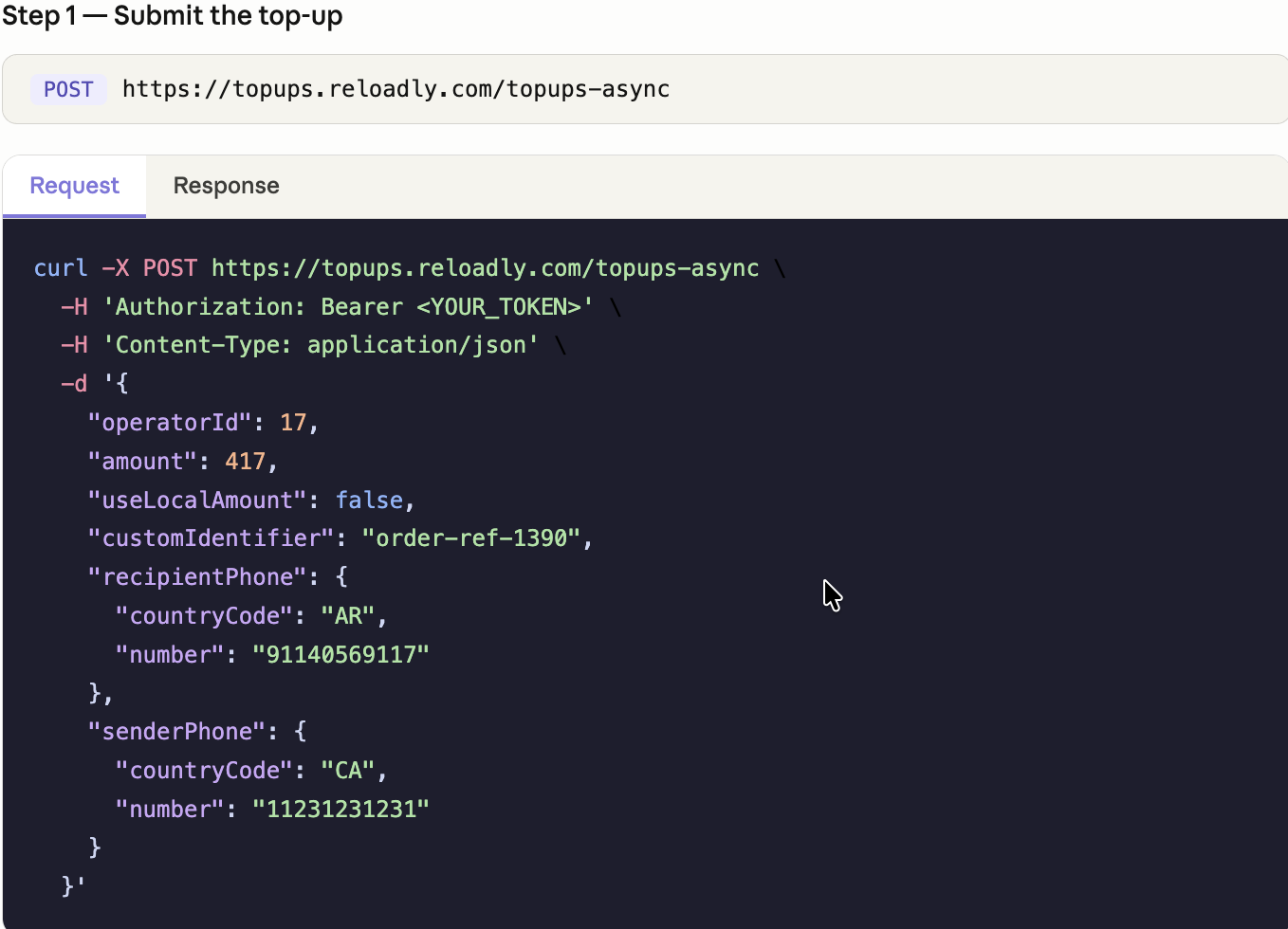
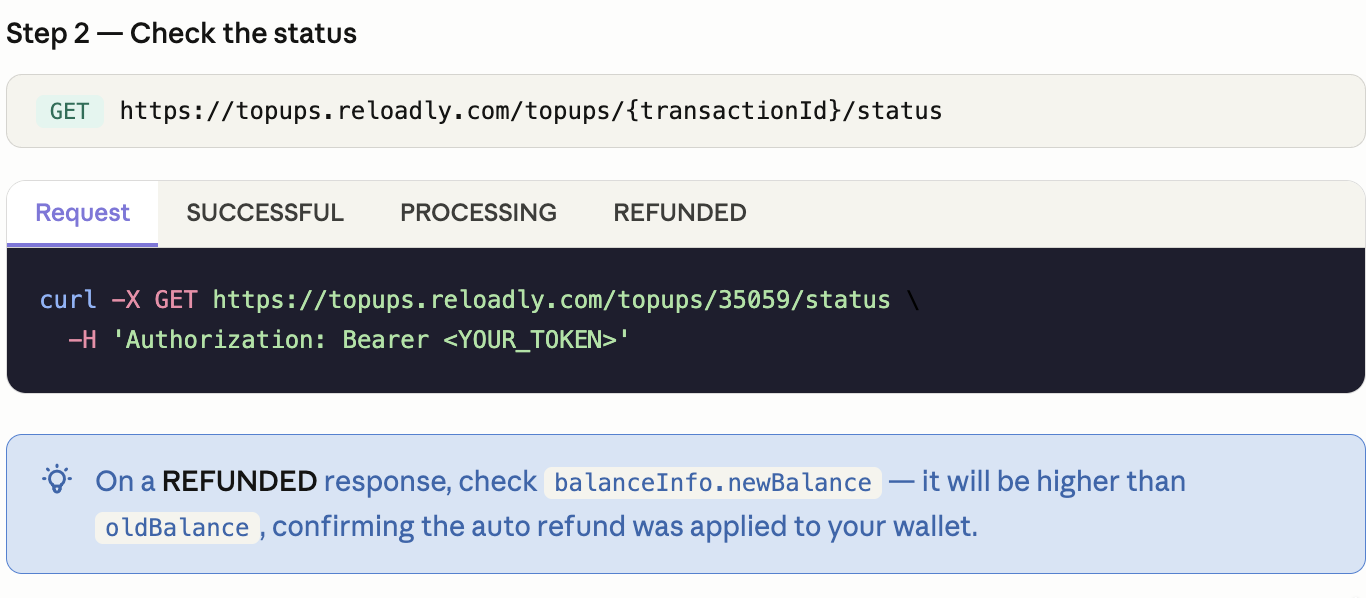
For production integrations, use the async top-up endpoint, which returns a transaction ID immediately — then poll the status endpoint to check the outcome.
Integration recommendations
- Always use the async top-up endpoint (
/topups-async) in production. It returns a transaction ID immediately without blocking your flow while waiting on operator confirmation. - Store the transactionId from every top-up response. You'll need it to poll the status endpoint and reconcile outcomes in your records.
- Implement exponential backoff when polling — start with a short interval (e.g. 5 seconds) and increase it with each retry. Most operators confirm within minutes, but some may take up to 30 minutes.
- Handle
REFUNDEDstatus in your UI explicitly — let end users know the top-up didn't go through and their balance has been restored, rather than leaving them in the dark. - Use the
customIdentifierfield to tag each top-up with your own internal reference. This makes reconciliation much easier when querying transactions later.